When a project has been created, three icon buttons appear next to a project name:
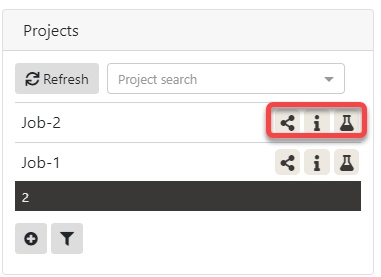
The 'nomination' icon  , when clicked for Project Job-2, shows a pop-up screen:
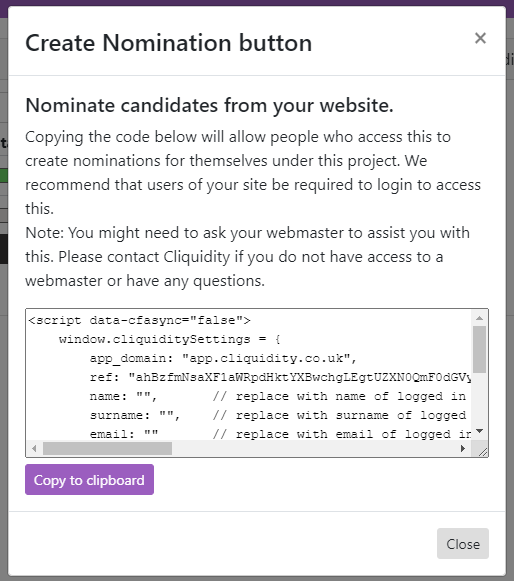
The code in this window can be inserted into a web-page or HTML email - and will appear in that page or email as a button:

The full HTML code in that window looks like:
<script data-cfasync="false">
window.cliquiditySettings = {
app_domain: "app.cliquidity.co.uk",
ref: "NsaXF1aWRpdHktYXBabcdLEgtUZX980mF0dGVyeRiAgID7ts3ACQw",
name: "", // replace with name of logged in user
surname: "", // replace with surname of logged in user
email: "" // replace with email of logged in user
};
</script>
<link href="https://app.cliquidity.co.uk/embed/native/embed_native.css" media="screen" rel="stylesheet" type="text/css"/>
<script src="https://app.cliquidity.co.uk/embed/native/embed_native.js" type="text/javascript"></script>
<div class="cliquidity-container">
<cliquidity-embed-app-root><img class="cliquidity-container-loading" src="https://app.cliquidity.co.uk/images/cliquidity-loading.gif" style="display: none;"></cliquidity-embed-app-root>
</div>
with the 'editable' lines highlighted in red. This button-creation task can only be achieved by someone familiar with editing or creating web pages, creating HTML emails, or using web-related software which enables such cut-and-paste editing. And, great care needs to be applied in deploying this button, because if creating it to invite a single named individual, or to generate a bulk emailing using a candidate list-file, it is possible to mistakenly associated the wrong email with a candidate name, or vice versa, which of course can have unwanted effects (e,g. the wrong person being sent the wrong email invitation).

The use of a nomination button is basically for two kinds of application:
•on a job-advert page for ad-hoc and probably all new candidates (entirely autonomous and outside any knowledge of who they might be by the business user),
or
•on a bulk email to a known list of candidates, where the candidate name and email address is ‘inserted’ into each broadcast email in order to personalize it, or a single custom HTML email invitation for a candidate who details are already known.
For job-advert web-pages or those which are inviting any reader to complete one or more Cliquidity assessments via a Nomination button, then no name or email details should be entered in the HTML code …
e.g.
name: "", // leave blank
surname: "", // leave blank
email: "" // leave blank
For bulk emails generated via a program application using a candidate-list (name, email) – where each email is generated using a unique candidate name and email address drawn from a list-file - or - for a single custom email sent to a known candidate, you would use set up the HTML code segment as:
name: "Jonny", // candidate’s first name
surname: "Worricker", // candidate’s surname
email: "jwpage8@govt.xxxx" // candidate’s email address