The very first function you might wish to try is simply to invite a candidate, even yourself, to complete one or more assessments.
Before you can issue any invitations to candidates, you must first create a project within which one or more candidates can then be invited to complete assessments.
A project can be named appropriately to reflect a recruitment process for a particular job-role (e.g. "Junior Accountant). Or, it may be simply your first test project e.g. "Test_1" in which you invite yourself and a few colleagues as candidates, to see what it all looks like from a candidate viewpoint (email invitations, assessments, privacy controls etc.).
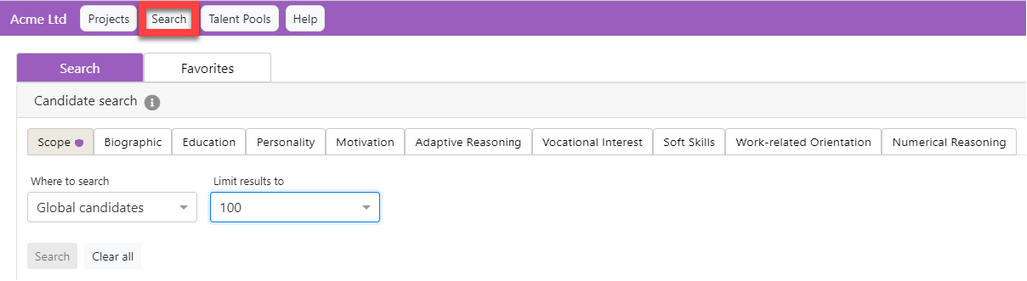
Then again, you could go straight in and undertake a candidate-search of the current global database of candidates, using any of the search filters available in Cliquidity:
The fundamental logic of Cliquidity is that candidates can be invited to complete assessments or share previous assessment results for a specific client and specific named project. It is the candidate who controls access to their assessment results, not the client.
A candidate may complete assessments for a particular client and project, and allow that client to access their data using the privacy controls. Any new client may find and select that candidate in a global database search, but the candidate name is replaced with an alias, and the assessment data remains hidden from the new client's view until the candidate is invited by that client to share their existing test scores or undertake a new assessment.
You cannot simply invite a candidate to complete an assessment ad hoc. You can only achieve this by issuing an invitation from within a project, or creating a new project within which you will then add the candidate. Even a nomination button |

 on a website, email, or online job-advert page will link the incoming candidate data to a specific client and specific project.
--------------------------------------------------------------------
© Cognadev Chemistry Ltd: 2021